
Support Team
1 year ago
SupportTeam
#barracuda
Release quarantined e-mail for shared account for Barracuda e-mail protection system
Step 1: Open the Barracuda Notification Email
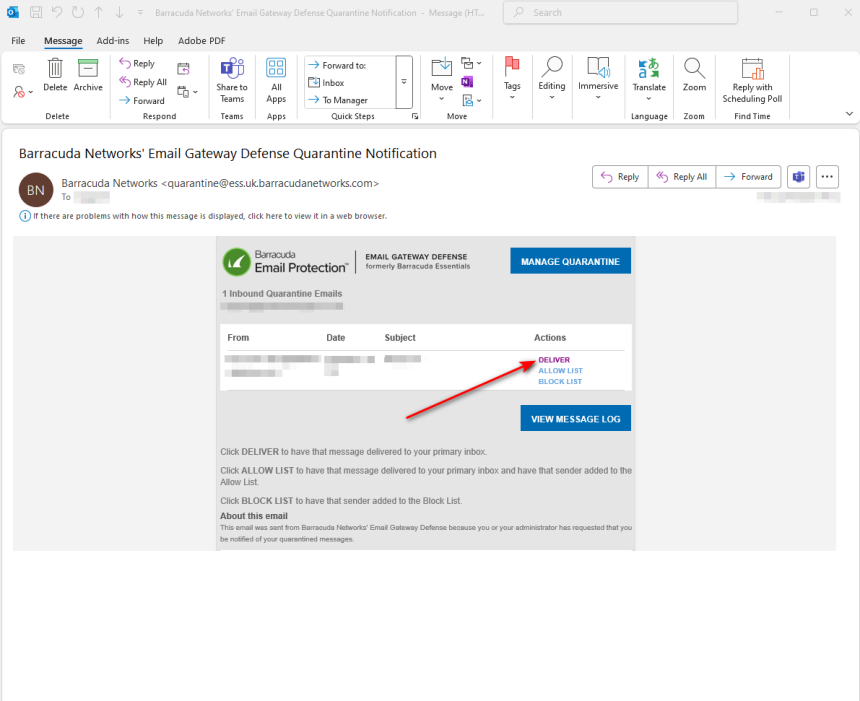
- Locate and open the Barracuda Email Protection notification regarding the quarantined message.
- Click on one of the available action buttons:
- Deliver
- Allow List
- Block List
- This will redirect you to the Barracuda portal in your browser.
Step 2: Request a One-Time Passcode
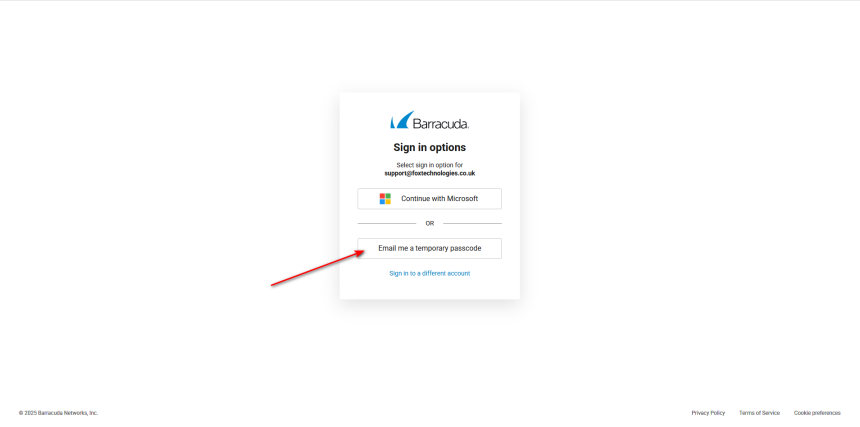
- On the Barracuda portal login screen, scroll down and select the “Email Me a One-Time Passcode” option (this may appear as “Email Me a Temporary Password”).
- Refer to the visual aid (if included) to ensure you’re clicking the correct button.
Step 3: Retrieve and Enter the Passcode
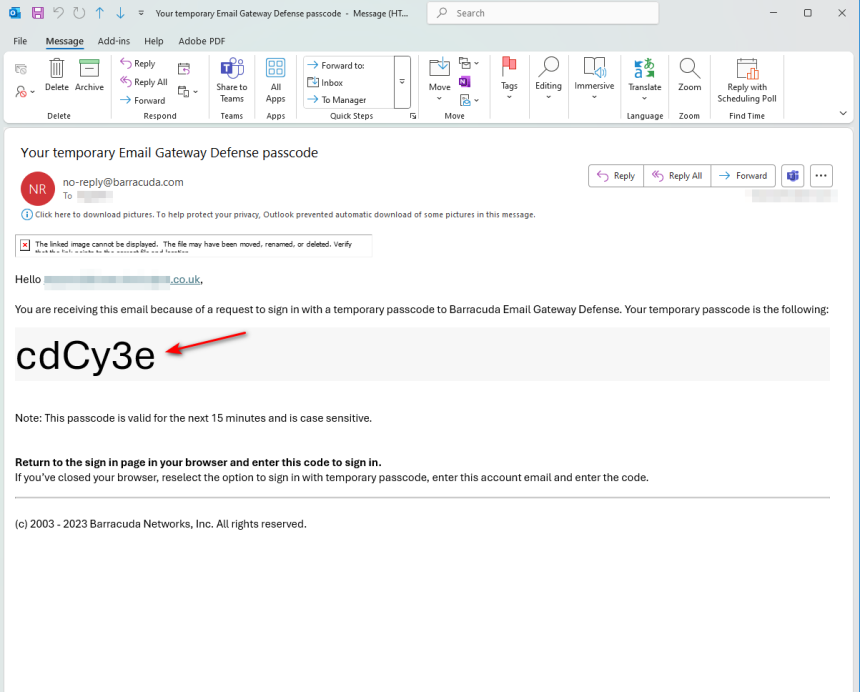
- Barracuda will send a temporary passcode to the shared mailbox email address.
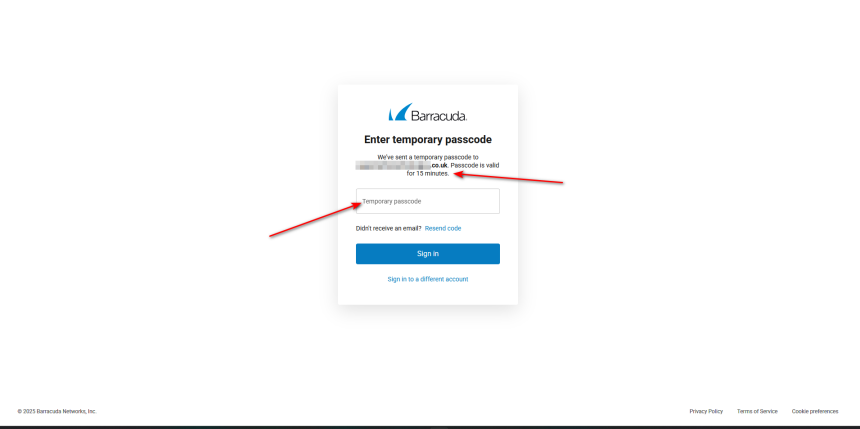
- Once you receive this email, enter the passcode into the Barracuda portal where prompted (keep the browser window open while retrieving the code).
- ⚠️ Note: The temporary passcode is only valid for 15 minutes from the time it's sent.
Step 4: Manage Quarantined Emails
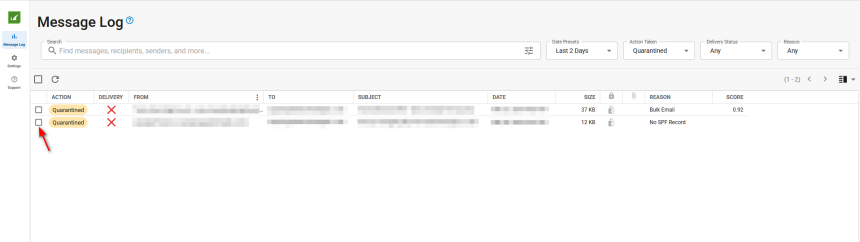
- Once inside the Barracuda portal, you’ll have access to the shared mailbox’s quarantined messages.
- From here, you can:
- Deliver safe emails to the inbox
- Delete unwanted emails
- Allow List trusted senders
- Block List suspicious or malicious senders