
Support Team
1 year ago
SupportTeam
#remote-working
Tailscales VPN App
Tailscales VPN App
Scenario: Unable to Connect to Online Shares or RDP
If you receive a message stating that the connection cannot be completed when attempting to connect to online shares or an RDP session, follow these steps. You may need assistance from a colleague in the office to proceed.
1. Check the Status of the Remote Machine
- Ask a colleague to verify that the office machine is powered on and has an active network connection.
2. Check the Internet Connection on Both Ends
- Ensure that both your remote machine and the office machine are connected to the internet.
- To test your connection:
- Open a New Private (Incognito) Window in your browser.
- Search for a webpage you would not normally visit (e.g., "Top ten rabbit breeds in the UK").
- Click on a search result and confirm that the page loads.
- Why this step is important:
- If you access a frequently visited webpage, your computer may load it from cache, making it seem like you're online even if you're not.
3. Check Tailscale App Status on Both Machines
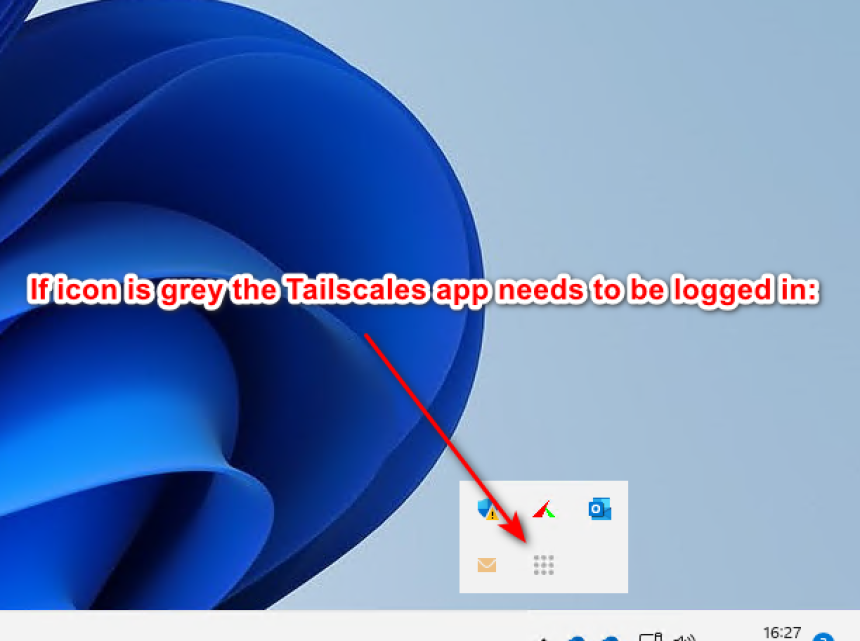
- Confirm that the Tailscale app is visible in the system tray on both computers.
- If the app is visible:
- Check if it is logged in and not displaying a logged-off icon.
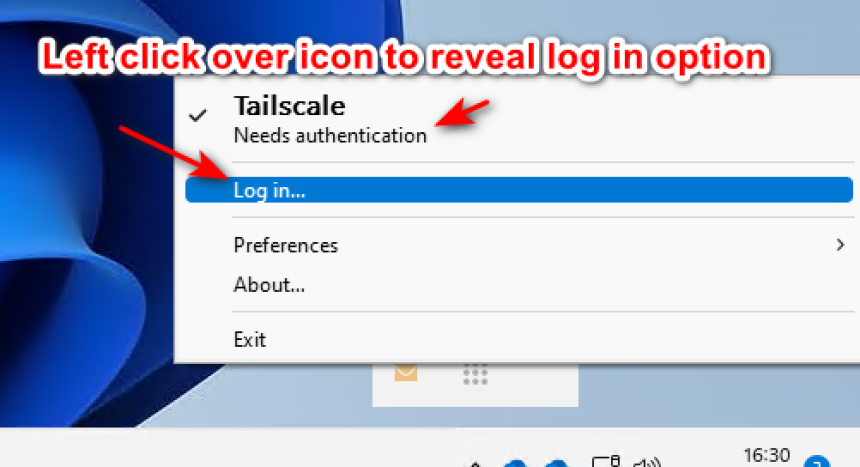
- If logged out:
- Right-click on the Tailscale icon and select Login.
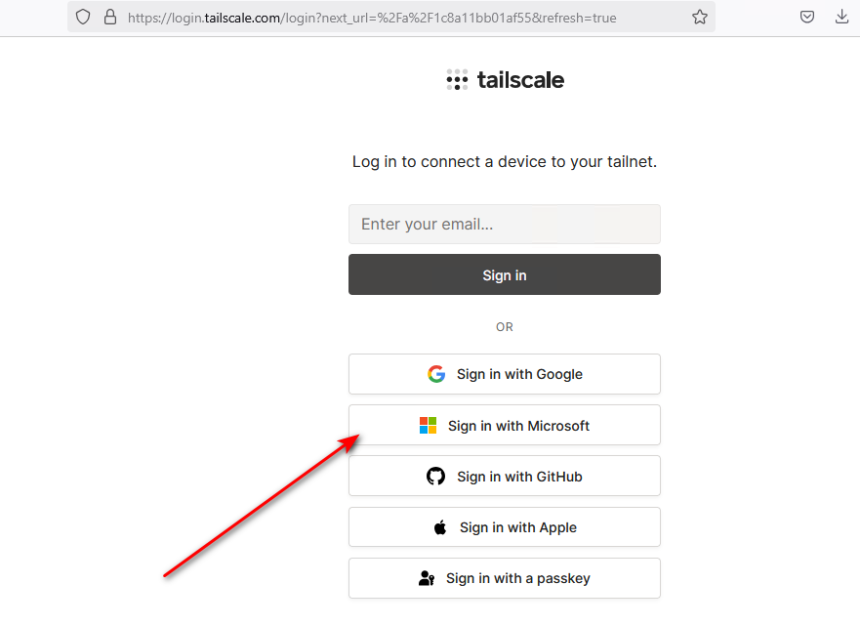
- A browser window will open—click on "Login using a Microsoft account".
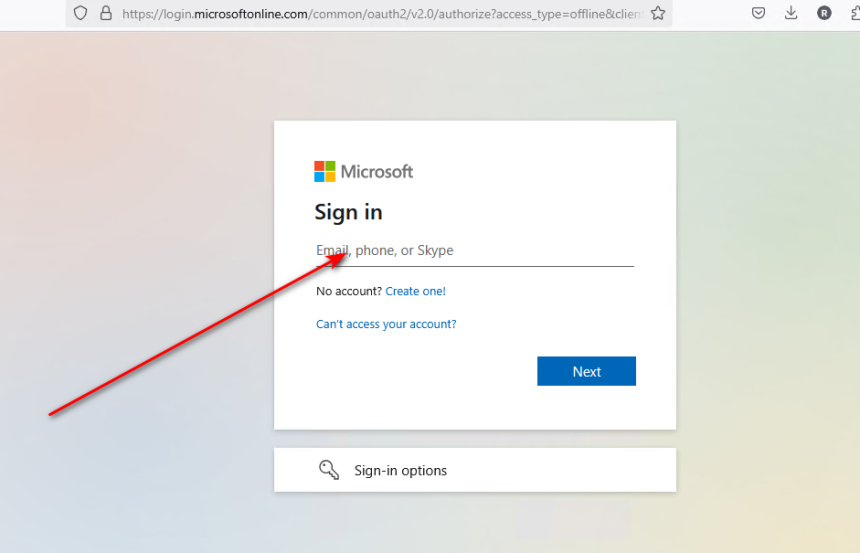
- Enter your username and password, then complete two-factor authentication if required.
If these steps do not help, please open a ticket with support or call the helpdesk.